Artificial intelligence can seem complicated when you are just getting started. There are new tools, unfamiliar terms, endless features and plenty of opinions about what AI can and cannot do.
For many people, the hardest part is not learning how AI works. It is knowing how to use AI in a way that feels useful rather than overwhelming.
You do not need to understand machine learning, write complicated prompts or experiment with dozens of AI tools. A better starting point is much simpler: ask a question, see what you get, and learn how to improve the result.
That is where AI search can be especially useful for beginners.
Instead of learning a complex workflow first, you can use natural language to ask questions you already have. An answer can then help you decide what to ask next.
What Is AI Search?
AI search uses artificial intelligence to understand a question and provide a direct response rather than simply returning a page of search results.
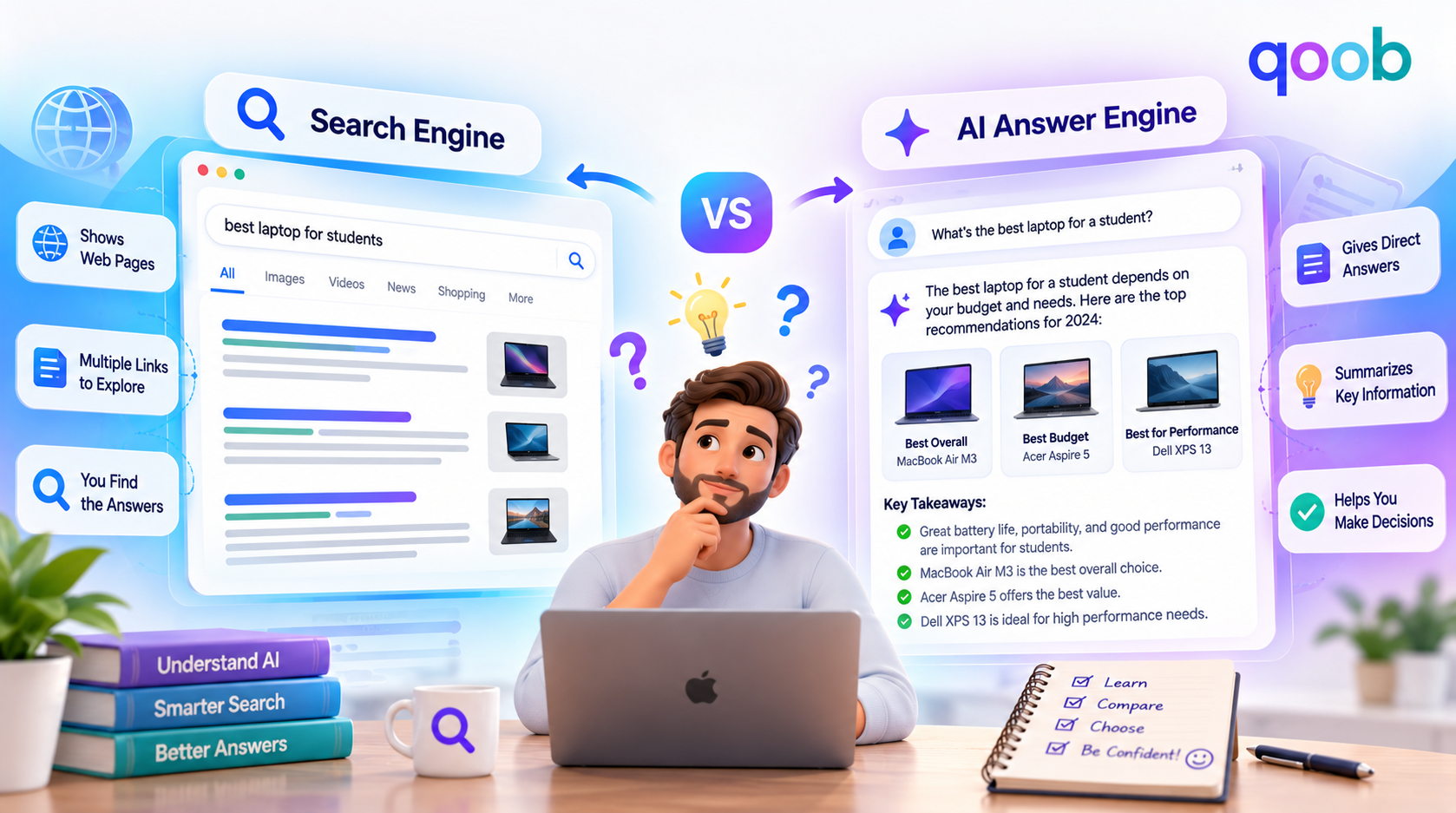
Traditional search often gives you a list of links. You then open several pages, compare information and decide which result answers your question.
AI search aims to reduce some of that work by understanding the meaning and context of your query.
For a beginner, that difference matters because you do not need to learn a special search language.
You can ask:
“Explain inflation in simple terms.”
Or:
“What should I know before buying my first laptop?”
Or:
“Compare these two options for someone on a budget.”
The question itself becomes the starting point.
AI for Beginners: Start With Questions You Already Ask
You do not need to search for an impressive AI use case.
Start with ordinary questions.
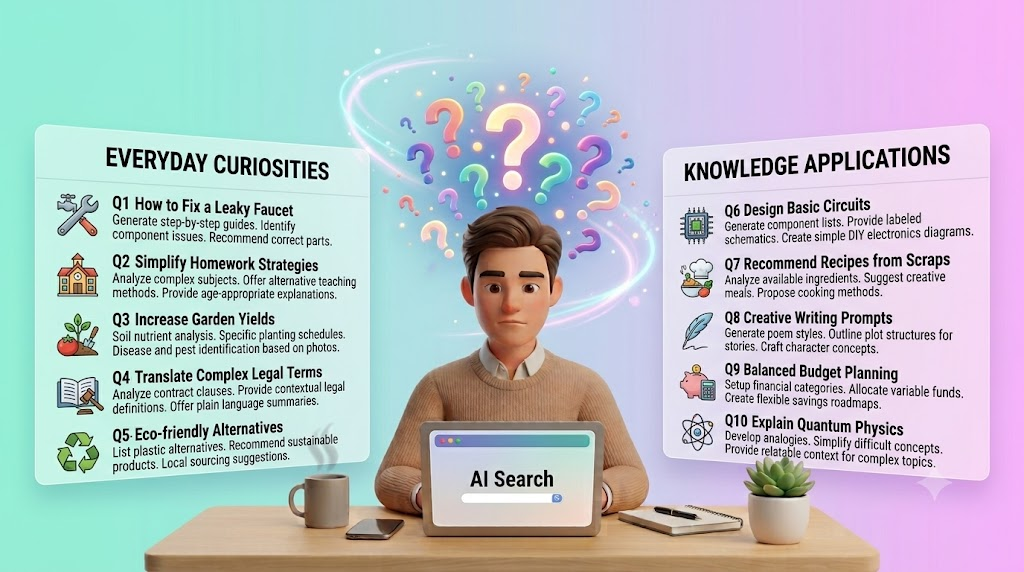
Think about the things you already search for during the week. You may want help comparing products, understanding a confusing topic, planning a trip, deciding what to cook or rewriting something more clearly.
Those are good starting points because you already understand the problem.
For example, instead of searching several websites for dinner ideas, you might ask:
“I have eggs, tomatoes, rice and spinach. What can I make for dinner in 20 minutes?”
Instead of searching through multiple articles about a technical term, you might ask:
“Explain cloud computing as if I have never worked in technology.”
The objective is not to use AI for everything.
It is to find the situations where it can save you effort.
You Do Not Need to Know How AI Works to Use It
This is one of the biggest misconceptions for beginners.
You can use AI without understanding neural networks, large language models or the technical infrastructure behind them.
It is similar to using a calculator. You do not need to know how the calculator is engineered to use it for everyday maths.
The same principle applies here.
A beginner only needs to understand a few basic ideas:
AI works from the information in your question, answers can vary in quality, and the way you phrase a request can affect the result.
Once you understand those three things, the learning curve becomes much smaller.
How to Use AI Without Writing Complicated Prompts
There is a lot of content online suggesting that you need elaborate prompt formulas to get useful AI answers.
That is not always necessary.
A good beginner prompt can be one or two sentences.
Compare these two questions:
“Marketing?”
and
“Explain digital marketing in simple terms for someone starting a small business.”
The second question gives the AI a clear task and audience.
You can improve it even more by adding a specific goal:
“Explain digital marketing in simple terms for someone starting a small business, and give me three practical ways to begin.”
You do not need to make every prompt long. You simply need to give the tool enough information to understand what you are trying to accomplish.
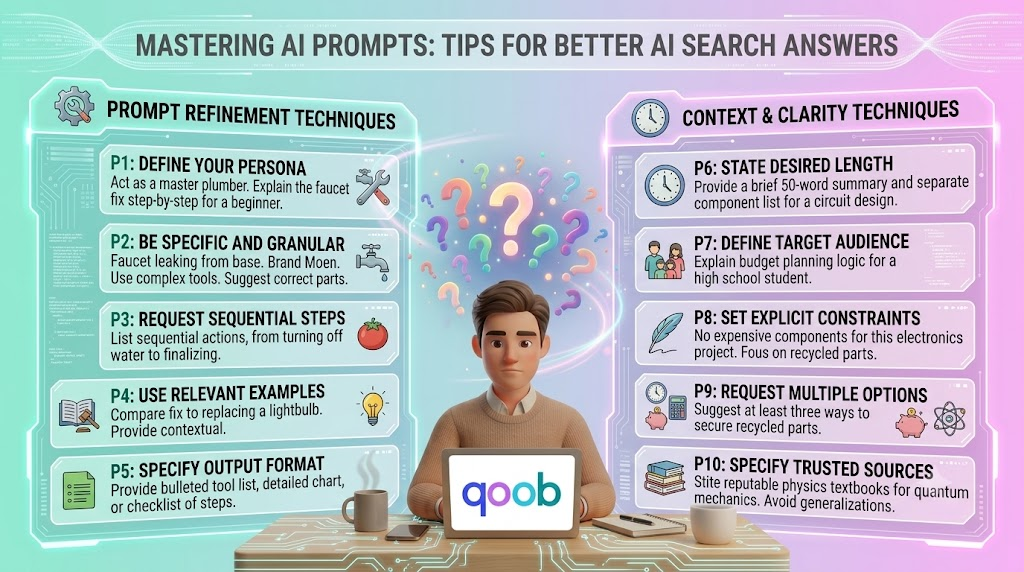
Our guide to better AI search prompts covers this approach in more detail, including how adding context and specifying the type of answer you want can improve results.
The Easiest Prompt Formula for Beginners
A simple structure can help when you do not know what to type.
Think:
Task + Topic + Context
For example:
Task: Explain
Topic: investing
Context: for someone who has never invested before
Put them together:
“Explain investing for someone who has never invested before.”
You can then add the output you want:
“Explain investing for someone who has never invested before and give me five basic concepts to understand first.”
This is enough for many everyday searches.
There is no need to make the prompt sound technical.
Ask for Easy Answers When You Need Them
One of the most useful habits for beginners is telling AI how you want the information explained.
If you are new to a subject, say so.
Try phrases such as:
“Explain this in plain English.”
“Assume I know nothing about this.”
“Give me a simple example.”
“Break this into three steps.”
“Keep the answer brief.”
This can make a big difference when a topic feels intimidating.
The Qoob’s easy answers approach is built around making everyday search questions simpler to understand and easier to act on.
The goal is not to remove useful detail. It is to remove unnecessary complexity.
What Does “Honest AI” Mean?
You may also come across phrases such as honest AI.
The idea is straightforward: an AI tool should not encourage you to treat every answer as automatically correct.
AI can be useful, but it can also make mistakes, misunderstand a question or present uncertain information too confidently.
For beginners, one of the best habits is to ask follow-up questions instead of immediately accepting an answer.
For example:
“How confident are you?”
Or:
“What part of this should I verify?”
Or:
“Can you explain where this conclusion comes from?”
This helps you treat AI as a tool for understanding rather than an unquestionable authority.
For important subjects such as medical, legal, financial or safety matters, information should be checked against reliable sources and qualified professionals where appropriate.
Your First AI Search Session Does Not Need to Be Complicated
Imagine you have never used AI search before.
Start with a problem you actually have.
You might ask:
“I need to choose between two laptops for office work. What should I compare?”
The response may give you a list of factors.
Then ask:
“Which three factors matter most if battery life and portability are my priorities?”
Then:
“Create a simple comparison checklist I can use while shopping.”
Notice what happened.
You did not create one massive prompt.
You started with a question and refined the answer.
That is one of the easiest ways to learn how to use AI because you learn while solving a real problem.
Follow-Up Questions Are a Beginner’s Best Friend
Many people think they have to write the perfect first prompt.
You do not.
AI search becomes much more useful when you treat the first answer as a starting point.
Suppose you ask:
“What is a mortgage?”
You might follow up with:
“Explain that with a simple example.”
Then:
“What costs should I watch out for?”
Then:
“What should a first-time buyer compare?”
You are building understanding one question at a time.
This is often easier than trying to predict every detail you need before you start.
When Traditional Search Is Still Better
AI search is useful, but it is not the best option for every task.
Traditional search can be better when you want to browse many sources, locate a specific website, read an original document, explore a topic broadly or compare multiple pages yourself.
AI search is often more useful when your main goal is to understand something, compare options or decide what to do next.
Our guide to AI search versus traditional search explains this difference in more detail.
You do not have to choose one tool for everything.
Good digital habits often involve using the right tool for the job.
How Beginners Can Avoid Information Overload
AI is supposed to make things easier, but using too many AI tools at once can have the opposite effect.
You do not need five chatbots, three browser extensions and a collection of specialised apps to get started.
Pick one tool.
Use it for a few everyday tasks.
Learn what works.
Then expand when you have a reason to.
You should also be clear about what information you share.
Do not paste passwords, private account information, confidential business material or other sensitive information into an AI tool unless you have a clear reason to do so and understand how that service handles your data.
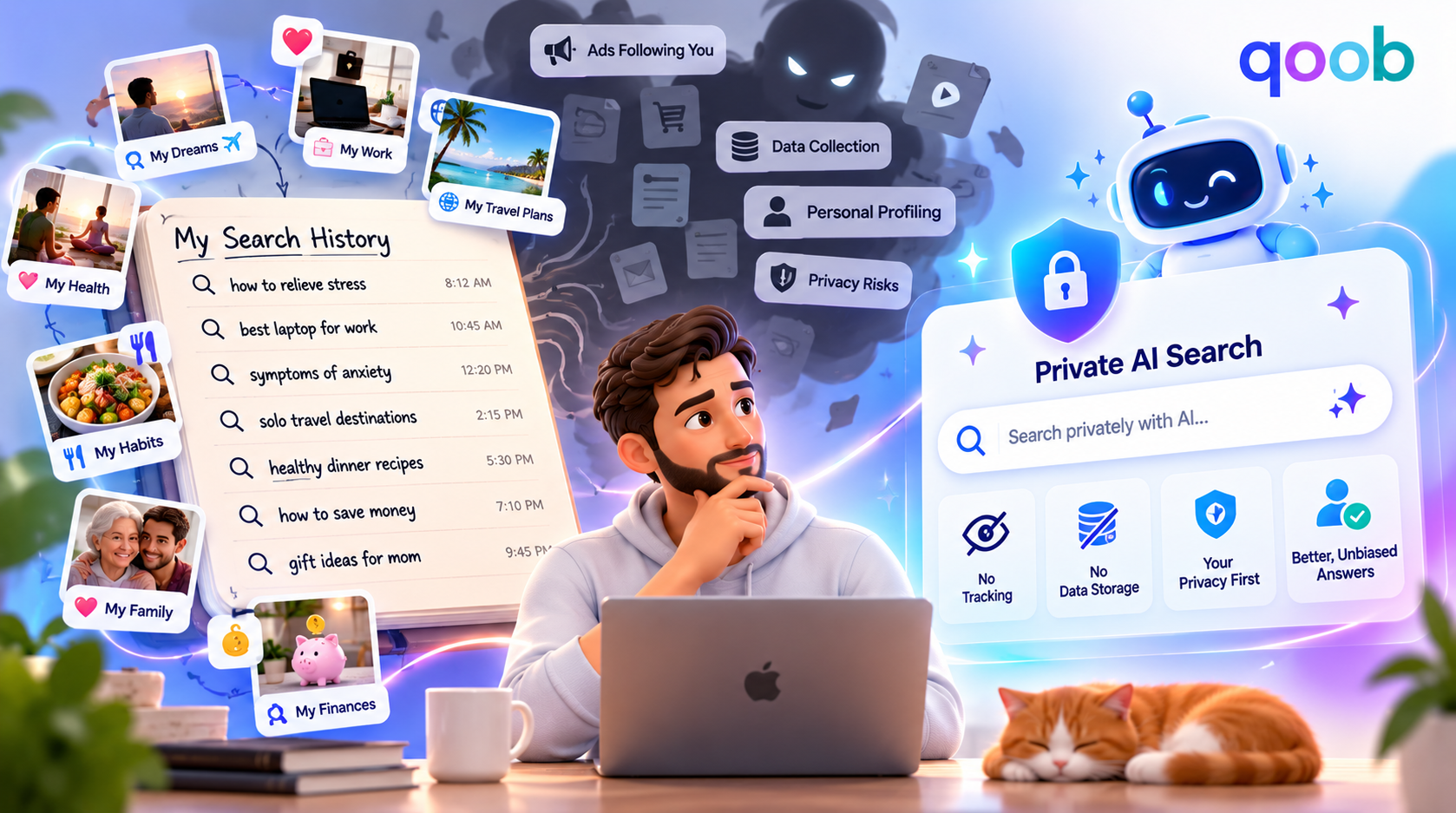
Our discussion of AI search privacy explains why privacy is an important part of developing good AI-search habits.
A Simple Beginner Workflow
A practical way to start is to use this five-step process:
Ask. Start with the question you actually need answered.
Clarify. Add context if the first answer is too broad.
Refine. Ask a follow-up question when you need more detail.
Check. Verify important facts rather than assuming the answer is always correct.
Act. Use the answer to make a decision, complete a task or understand the next step.
This approach keeps AI practical.
You are not learning AI for the sake of learning AI. You are learning how to use it to solve problems.
Common Mistakes AI Beginners Make
Trying to sound technical
You do not need phrases such as “act as an advanced reasoning agent” unless they genuinely improve the task. Plain language is usually enough.
Asking questions that are too vague
“Tell me about marketing” can produce a broad answer. “Explain marketing for a local café owner” gives the AI a much clearer job.
Treating the first response as final
The first answer may be useful, but follow-up questions can make it more relevant to your actual needs.
Using AI when a direct source is better
When you need an official rule, current policy, original document or specific website, go to the source and verify it.
Sharing more personal information than necessary
Give the AI the context it needs, but remove details that are irrelevant to the question and unnecessarily sensitive.
What Makes an AI Tool Beginner-Friendly?
The best beginner experience is not necessarily the one with the most features.
A useful tool should make it easy to understand what to ask, easy to refine the answer and easy to get back to the actual decision.
That is one reason direct answers can feel less intimidating than a long search-results page.
Instead of opening ten links to understand a basic concept, you can start with one clear question and continue from there.
For someone exploring AI for beginners, that can make the technology feel less like a technical subject and more like another everyday tool.
Why Simple AI Use Cases Are a Good Starting Point
You do not need to begin with advanced research, coding or automation.
Start with things such as:
Learning: “Explain this concept in simple terms.”
Planning: “Help me organise a three-day trip.”
Comparing: “Compare these two products for home use.”
Writing: “Make this email clearer and more professional.”
Decision-making: “What should I consider before choosing between these options?”
These tasks are easy to understand and easy to evaluate.
You know whether the answer helped.
That makes them ideal for learning how AI works in practice.
How The Qoob Can Fit Into a Beginner’s Search Routine
The Qoob is designed around a straightforward search experience where users can ask questions naturally and receive answers aimed at the decision or information need behind the query.
For beginners, that means you can focus less on learning a complex interface and more on learning how to ask useful questions.
You can start with a simple query, add context, ask follow-ups and decide whether the answer is enough. That is a much more practical introduction than trying to learn every AI feature at once.
The important thing is to build confidence gradually.
Use AI for small tasks first. Pay attention to how your questions affect the answers. Learn when you need more context, when you need verification and when traditional search is the better option.
Your First AI Habit Should Be Simple
The biggest change AI brings to search is not that you can ask difficult questions.
It is that you can ask questions in the way you naturally think.
You do not need to turn your thoughts into a list of keywords.
You can explain the problem.
You can ask for a simpler explanation.
You can change your mind.
You can ask another question.
That makes AI much easier to approach as a beginner.
Instead of thinking, “I need to learn AI,” think:
“I have a question. Can AI help me answer it?”
That is a much easier place to start.
Final Thoughts
Getting started with AI does not require technical knowledge or a complicated setup. Start with ordinary questions, explain what you need, add context when necessary and use follow-up questions to improve the result.
The best beginner habit is also the simplest: stay curious, but stay critical. Ask AI for explanations, ideas and comparisons, while checking important information before you act on it.
For a simpler way to explore everyday AI search, The Qoob provides a practical starting point for asking questions and getting useful answers without making the process feel more complicated than it needs to be.
Frequently Asked Questions
What is AI for beginners?
AI for beginners refers to learning how to use artificial intelligence in simple, practical ways without needing technical expertise. Everyday uses include asking questions, explaining difficult topics, comparing options and planning tasks.
How do I use AI for the first time?
Start with a question you already want answered. Explain what you need in plain language, add relevant context and ask a follow-up question when the first response is not specific enough.
Do I need to learn prompting to use AI?
You do not need advanced prompt-writing skills. Clear, specific questions usually provide a good starting point, and you can improve the answer through follow-up questions.
What is an honest AI?
“Honest AI” generally refers to an approach where AI should communicate information responsibly and avoid creating a false impression of certainty. Users should still verify important information rather than treating AI-generated answers as automatically correct.
What are easy answers in AI search?
Easy answers are responses presented in a clear, accessible way so users can understand the key information without unnecessary complexity. Asking for plain language, examples or step-by-step guidance can help.
Is AI search better than traditional search?
Neither is universally better. AI search can be useful for direct explanations, comparisons and everyday decisions, while traditional search remains valuable when you want to browse sources, visit specific websites or conduct broader research.