AI Search is changing how people find answers. It is faster than regular search, easier to use, and often feels more natural. You type a question and get a direct reply. That is useful. But it also raises a fair question: what happens to the information you type?If privacy matters to you, it is worth understanding how AI tools may handle your prompts, your account data, and your activity history. A good place to start is the private AI assistant page, which shows why privacy should be part of the conversation before you trust any search tool with personal or work-related questions.
Why privacy matters in AI Search
Search used to feel simple. You typed a query, got results, and moved on. AI Search is different because the tool may process more than just keywords. It may read the full question, the context around it, and sometimes the follow-up questions too.That makes the experience helpful, but it also means you should be careful about what you share. A search tool may not be the right place for private notes, business secrets, legal details, health information, or anything you would not want stored or reviewed later.The main privacy risk
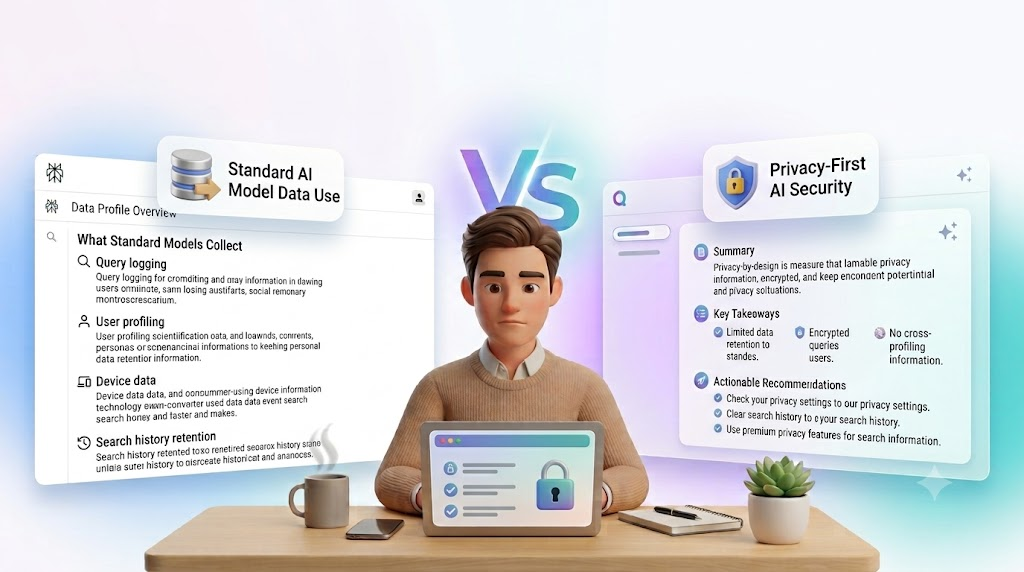
The biggest risk is not always a public leak. Often, the issue is data collection. If a tool keeps prompts, account details, or usage logs, that information may be used to improve the product, troubleshoot problems, or personalize the experience.That does not automatically make the tool unsafe. It just means you should know the rules before you use it for sensitive work.What AI Search may collect
Different tools collect different types of data. The exact details depend on the product, but common examples include:- Your search questions
- Follow-up prompts
- Account information
- Device or browser data
- Usage patterns
- Feedback you submit
Why “private” does not always mean “invisible”
A tool can still call itself private while keeping some data for service functions. In practice, “private” may mean that your data is not shared publicly, not sold to advertisers, or protected with account controls. That is helpful, but it is not the same as complete secrecy.Video Embed : https://www.instagram.com/qoobsearch/reel/DbOhBW6jh3S/Questions to ask before you trust an AI Search tool
Before you use any AI Search product for important work, ask a few simple questions.Start with these
- Does the tool save my prompts?
- Can I delete my history?
- Is my data used for training?
- Can I control what is stored?
- Is the privacy policy easy to understand?
- Does the tool offer a business or personal mode?
How privacy affects real search behavior
People often type more into AI Search than they would into a normal search bar. That is because the exchange feels more personal and conversational. You may explain your goal, your problem, and your situation in one message.That is useful, but it also means you should slow down before typing sensitive details. Even a simple question can include information about your company, client, location, budget, or strategy.Examples of what to avoid
You may want to avoid entering:- Passwords or login details
- Private client information
- Internal business plans
- Confidential numbers or contracts
- Medical or legal records
- Anything tied to another person’s identity
How to use AI Search more safely
You do not need to stop using AI Search. You just need better habits.Safer ways to search
- Use broad questions instead of exact private details
- Remove names, account numbers, and sensitive files
- Check whether the tool has a history or memory feature
- Log out after use on shared devices
- Review privacy and data settings
- Delete old searches when the tool allows it
The difference between search privacy and account privacy
These two things are related, but they are not the same.Search privacy is about what happens to the question you type and the answers you get. Account privacy is about your login, profile, saved preferences, and activity history.A tool may protect your account well but still store search prompts for service reasons. Another tool may limit prompt storage but still collect technical data from your device. That is why it helps to look at the whole picture.What matters most
If you only remember one thing, remember this: privacy is not one switch. It is a set of rules. Those rules can cover storage, sharing, training, history, and deletion. The better you understand them, the safer your search habits become.Why personal search tools should be reviewed carefully
Some AI tools are built around personal search. That can make them useful, but it can also make them more sensitive. A personal system may know more about your habits, your topics, and your past questions. That can improve the experience, but it also increases the amount of information the tool may handle.For a broader view of how this fits into the search experience, the personal AI search guide 2026 is a helpful reference. It explains how personal search is changing the way people find and use information.What to check in the privacy policy
Privacy policies are often long, but you do not need to read every line to get the main idea. Focus on the parts that answer the most important questions.Look for these sections
- What data is collected
- How long data is kept
- Whether data is used for training
- Whether data is shared with third parties
- How users can delete data
- Whether different plans have different privacy rules
How companies should think about AI Search privacy
For businesses, privacy matters even more. Employees may use AI Search for research, writing, planning, or support. That can save time, but it also creates risk if people paste sensitive information into tools without thinking.A simple internal rule can help. Ask staff to avoid entering confidential data unless the tool is approved for that purpose. That one habit can prevent many problems later.Good team habits
- Set clear rules for what can be searched
- Train people on safe prompt writing
- Use approved tools for sensitive work
- Review privacy settings regularly
- Keep work and personal search separate
How The Qoob frames private AI search
The Qoob focuses on a more privacy-aware search experience, which makes it relevant for people who want more control over their questions and results. If privacy is a major concern, it is worth understanding how the Qoob search experience is positioned and what kind of search flow it supports.The real question is not whether AI Search is useful. It is whether the tool gives you enough control to use it with confidence.When to be extra careful
Some searches deserve more caution than others.High-risk topics
- Health questions with personal details
- Legal issues involving names or documents
- Financial questions with account data
- Client work that is not public
- Internal business strategy
- Personal identity or private life details
A simple privacy checklist
Before you type your next question, pause and check these points:- Is the topic sensitive?
- Does the tool store history?
- Can I delete or limit data sharing?
- Am I using a trusted account?
- Would I be comfortable seeing this prompt again later?
FAQ
Is AI Search private by default?
Not always. Some tools store prompts, usage data, or account history. You should check the privacy settings and policy of each tool you use.
Can AI Search save my questions?
Yes, some tools can. Others may allow you to turn history off or delete old prompts. The exact setup depends on the product.
Is it safe to enter personal information into AI Search?
It is usually better not to enter sensitive personal information unless you trust the tool and understand how it handles data.
How can I make AI Search safer to use?
Use broad questions, avoid private details, review privacy settings, and delete history when possible. Shared devices need extra care.
What should I check before using an AI Search tool?
Look at what data is collected, how long it is stored, whether it is used for training, and whether you can control or delete it.